Functionality
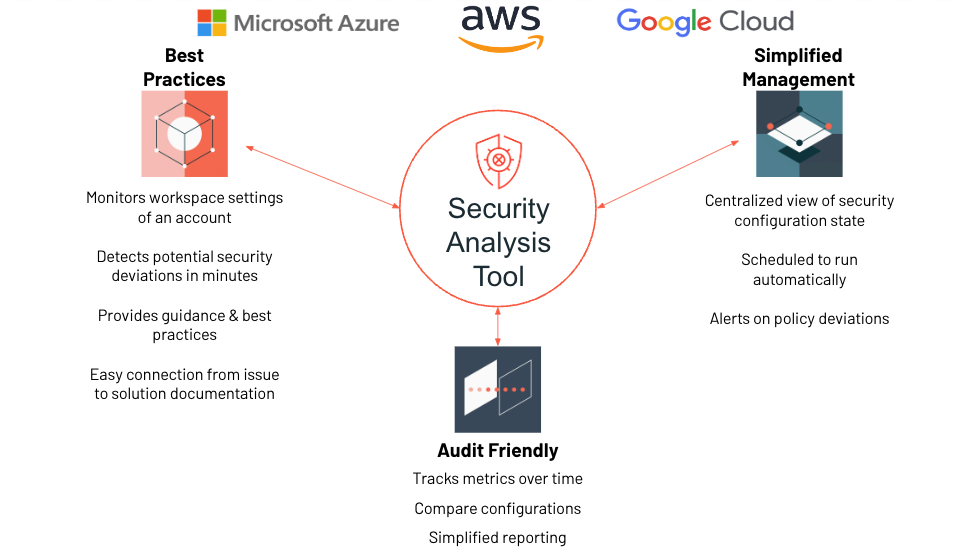
The Security Analysis Tool (SAT) is an observability utility designed to improve the security posture of Databricks deployments. It helps you identify deviations from established security best practices and monitor the security health of your Databricks workspaces.
- 11 new checks across Data Protection, Governance, Identity & Access, Network Security, and Informational.
- Live egress testing (NS-14) — first SAT check that probes real network behavior from compute, not just configuration.
- Per-user identity in Permissions Analysis — the app now runs queries as the calling user; Unity Catalog enforces grants directly.
- Expanded secret scanning — cluster init scripts referenced via FUSE mounts are now scanned alongside
spark_env_vars. - See the Upgrade Guide for behavior changes when upgrading from 0.7.x.
Core Features
General Dashboard
Comprehensive dashboard with detailed security findings across all categories. Provides a centralized view of your Databricks security posture.
Executive Dashboard
High-level view designed for stakeholders and executives. Consolidates key findings for quick security posture overview.
Permissions Analysis
Graph-based permissions analysis that reveals who can access what resources across your Databricks environment.
Secret Scanning
Comprehensive secret detection across notebooks and cluster configurations using TruffleHog with 800+ detector patterns.
How SAT Works
SAT is typically run daily as an automated workflow within your environment:
-
Data Collection
Collects configuration details from Databricks accounts and workspaces via REST APIs. -
Historical Tracking
Persists results in Delta tables within your storage environment for historical tracking and trend analysis. -
Centralized Reporting
Displays results in a centralized Databricks SQL dashboard, categorized into five distinct sections to help stakeholders review relevant workspace settings.
Security Categories
SAT evaluates 65+ security best practices across five key categories:
- Network Security - Network policies, VPC configurations, and network isolation (includes live egress testing from compute as of 0.8.0)
- Identity & Access - User management, group memberships, and access controls
- Data Protection - Encryption, data classification, and data governance
- Governance - Compliance, audit logging, and policy enforcement
- Informational - Observations and recommendations for continuous improvement
Cloud applicability for each check is recorded in configs/security_best_practices.csv — a small number of checks are AWS-only or AWS+GCP-only where the underlying API is not available on every cloud.
Severity Levels:
- High - Critical issues requiring immediate attention
- Medium - Important issues to address soon
- Low - Minor issues for continuous improvement
Live behavior tests (new in 0.8.0)
Most SAT checks inspect configuration and report deviations. NS-14 is the first SAT check that exercises real behavior — it runs from the SAT driver compute and probes a small set of public destinations to verify that egress controls actually block outbound traffic.
- On a workspace with restrictive egress controls, the probes are expected to fail. NS-14 reports "egress blocked" — that's the pass state.
- On a workspace with no egress restriction, the probes succeed and NS-14 reports the destinations as reachable.
This makes NS-14 useful as a real-world spot check for egress configuration: it tells you whether your network controls are doing their job, not just whether they exist on paper.
Getting Started
- Installation Guides - Set up SAT using standard installation or Terraform
- Usage Guide - Instructions on running workflows, viewing dashboards, and customizing security checks